Drop in a PNG, get sticker cut lines instantly
Make print-ready files in a minute, no Illustrator needed. Every feature is free.
Drag your PNG or JPG artwork hereChoose your PNG or JPG artwork
Transparent PNG recommended · JPG gets a rectangle cut · You can add several at once
- Your files are never uploaded Everything happens right in your browser
- Every feature is free
Done in 3 steps
Add your artwork
Drag in or choose a transparent PNG (or a JPG). Several files at once work too.
Adjust the border
Set the white border with a slider. The default 2 mm (0.08 in) is fine for most.
Download
Save a PDF for print shops, or SVG and DXF for cutting machines.
White border and cut line,
drawn in one go
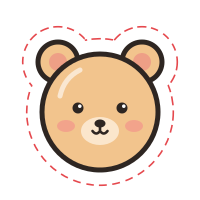
We trace your artwork, add a white border, and mark the cut line just outside it. Print shops and cutting machines follow that line to cut your stickers.
- White border — protects your artwork
- Cut line — where the blade goes
Frequently asked questions
Answers to what first-time sticker makers ask most.
What is a cut line?
A cut line tells a print shop or cutting machine where to cut your sticker. It sits outside a white border around your artwork, so a small misalignment while cutting never clips the art itself.
Which file should I send to a print shop?
Most print shops accept a PDF with the cut line on its own layer. Choose “PDF (for print shops)” when downloading, and if your print shop asks for a specific cut line color or stroke width, set it in the presets.
Does it work with cutting machines like Silhouette Cameo or Cricut?
Yes. Use DXF for Silhouette Studio Basic Edition, and SVG for Cricut Design Space and Brother ScanNCut. Picking a machine preset applies the right format and settings for you.
How do I make a PNG with a transparent background?
Hide the background layer in your drawing app and export as PNG. Make sure the option to keep transparency is turned on when you save.
How wide should the white border be?
If you are just starting out, keep the default 2 mm (0.08 in). A border that is too thin can let the blade clip the edge of your art if the cut is slightly off.
Is my artwork stored on a server?
No. Your files are never sent over the internet. Everything from tracing the cut line to creating the files happens inside the browser you are using right now.